
Remote Control Mode
When starting remote control, you can navigate to the Remote Control Mode screen.
Dashboard

Menu
Items | Description | |
|---|---|---|
| 1 | Input Signal | Among the safety input signal items set in the safety I/O, the remote control Enable signal is received and displayed. |
| 2 | Total Time | Displays the time when the task was executed. |
| 3 | Cycle Count | Displays the number of repetitions of the task. |
| 4 | Cycle Time | Displays the one-cycle time of the task. |
| 5 | Collision Sensitivity | Displays the collision sensitivity value.
|
| 6 | Tool Center Point | Displays the tool center point specified in the task. |
| 7 | Tool Weight | Displays the tool weight specified in the task. |
| 8 | Tool Shape | Displays the tool shape specified in the task. |
| 9 | Signal Input/Output | Displays the respective signal input/output values. |
| 10 | Log | Displays system log information. |
| 11 | Speed | You can set the speed of the task. |
| 12 | TCP Force | Displays the force applied to TCP in real time. |
| 13 | Variable | Displays the variable values used by the running task. |
ㅤ
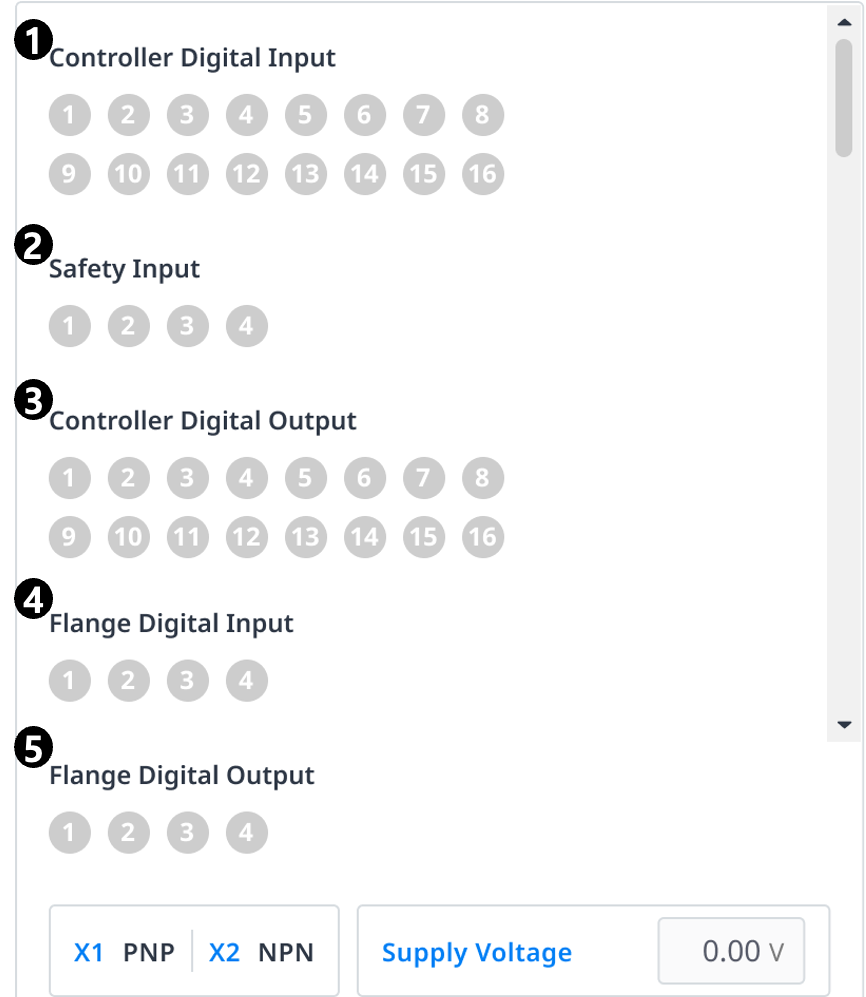
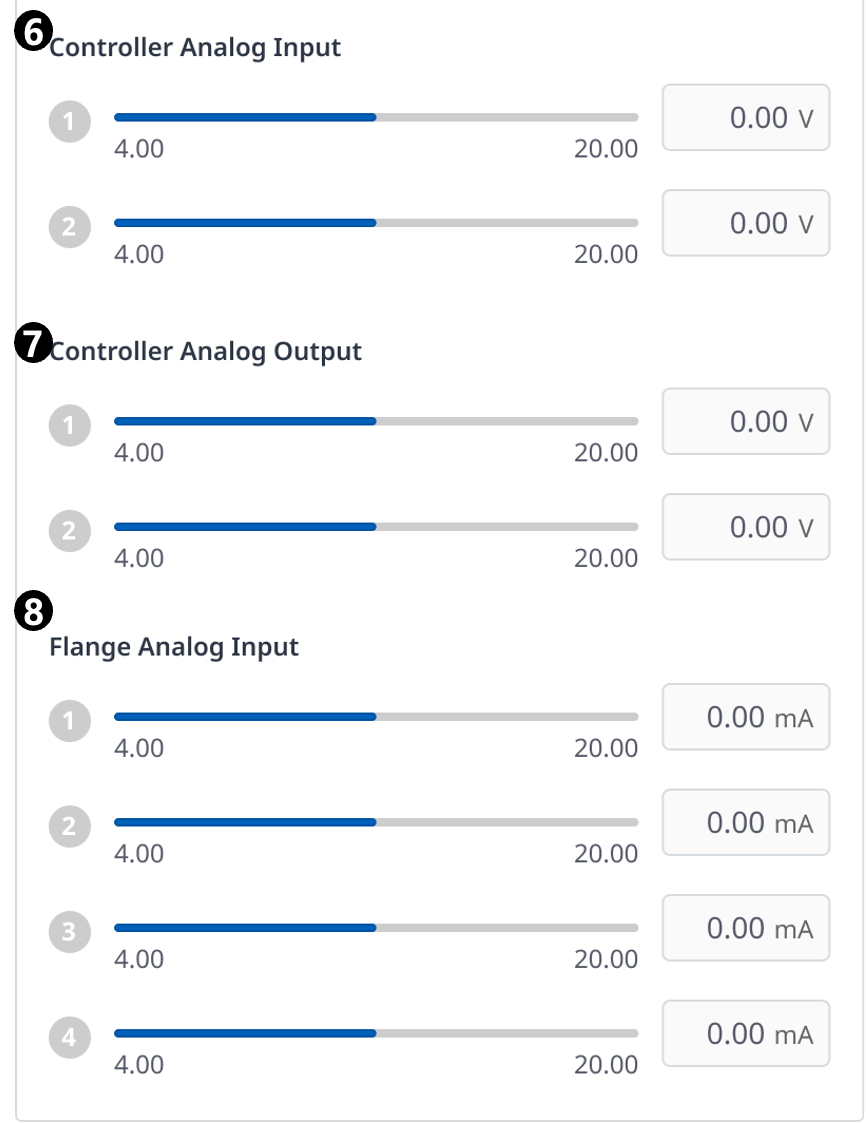
Items | Description | |
|---|---|---|
| 1 | Controller Digital Input | Displays the controller digital input settings. |
| 2 | Safety Input | Displays the controller safety input settings. |
| 3 | Controller Digital Output | Displays the controller digital output settings. |
| 4 | Flange Digital Input | Displays the flange digital input settings. |
| 5 | Flange Digital Output | Displays the flange digital output settings. |
| 6 | Controller Analog Input | Displays the controller analog input settings. |
| 7 | Controller Analog Output | Displays the controller analog output settings. |
| 8 | Flange Analog Input | Displays the flange analog input settings. |
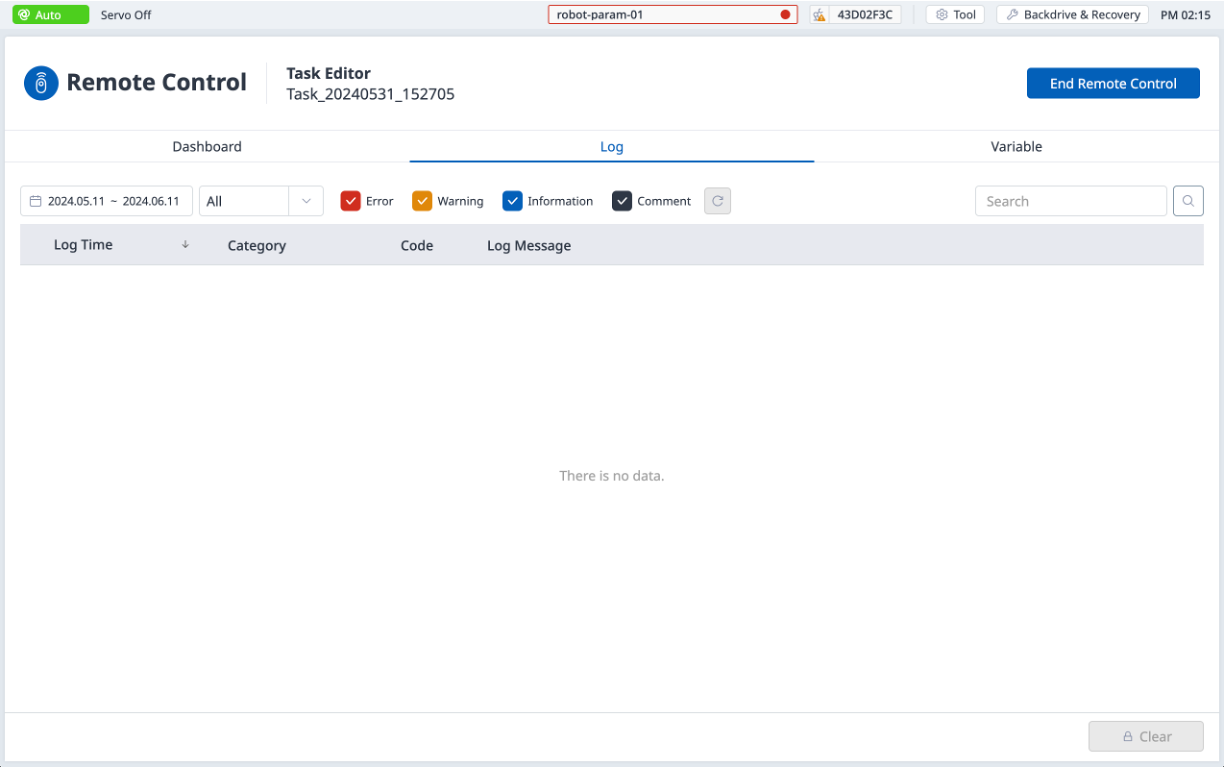
Log
Displays system log information.
Variable
Displays the variable values used by the running task.
