
Module update
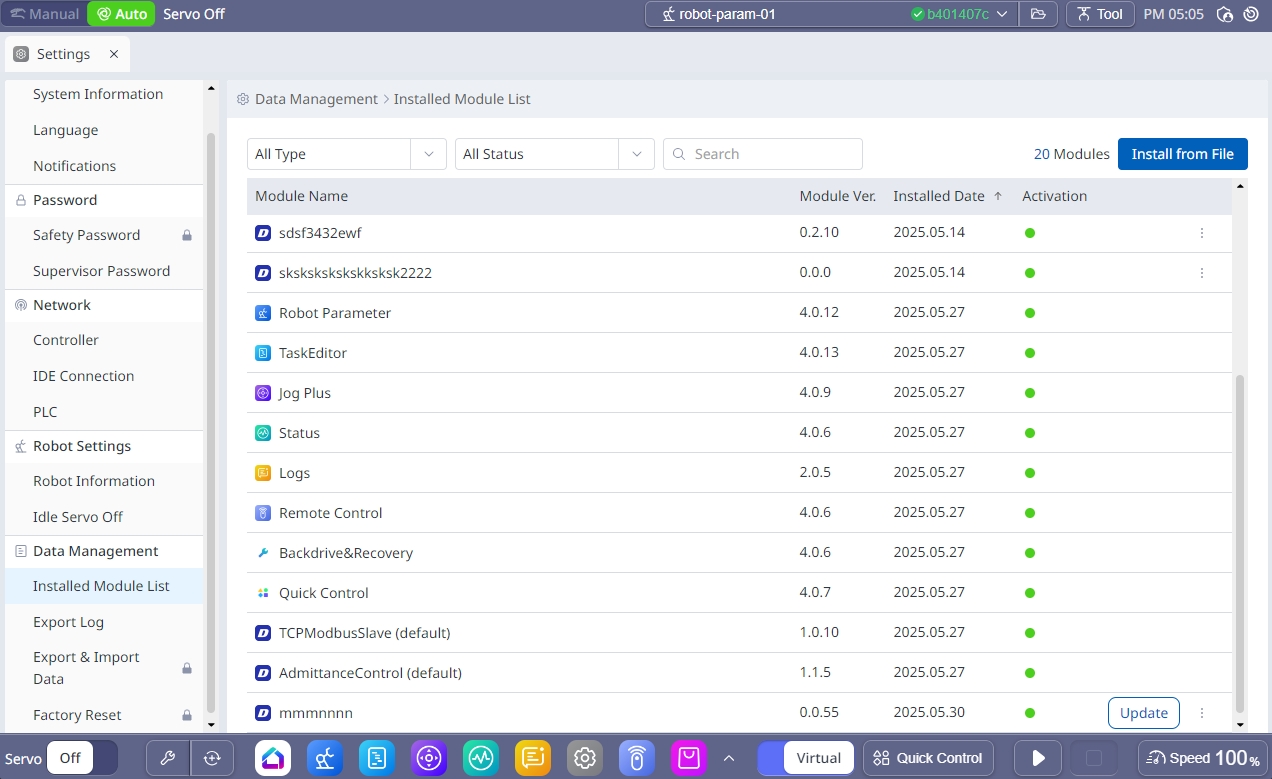
In the Data Management → Installed Module List menu, the update button is activated if the version of the module installed on the platform is lower than the one deployed on the Dr.Dart-Store. The button allows the user to update the module to the latest version.

Note
Module updates are in Supervisor privileges and manual mode and require login with a Store account.

Caution
If the Internet is not connected, the Update button is not displayed
If you update a paid module, you can only update the module if the account where you installed the module is the same as the Store account that you logged in for the update.
Note
If the module cannot be updated because the previously installed account and the logged-in account are different, delete the previously installed module and install the latest module from the purchased account.