
Managing Data
List of installed modules
This menu is where you can view and manage the installed modules.
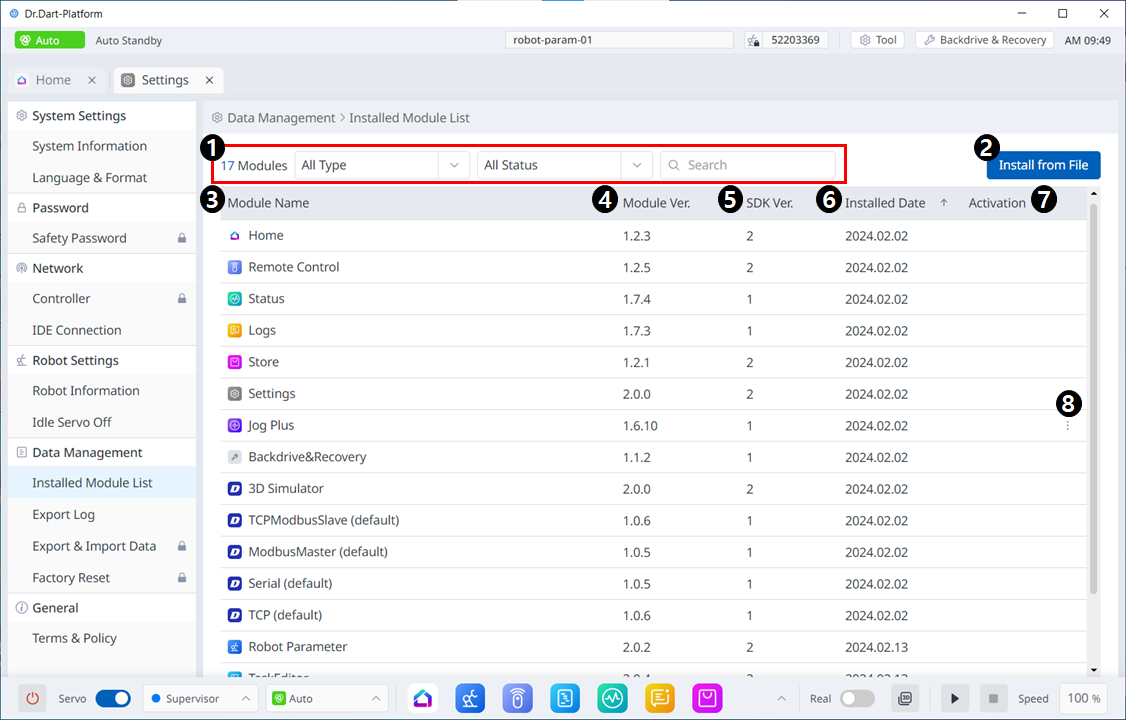
Menu
Items | Description | |
|---|---|---|
| 1 | Category | On the module list, you can select the type of module or status category you want to view, as well as search for them. |
| 2 | Install from File | This button allows you to add your files to install the module. |
| 3 | Module Name | The names of the installed modules are seen. |
| 4 | Module Ver. | The versions of the installed modules are seen. |
| 5 | SDK Ver. | The SDK versions of the installed modules are seen. |
| 6 | Installed Date | The dates each module was installed are seen. |
| 7 | Activation | Whether each is enabled is seen. |
| 8 | 3 dot button | If not a required module, an optional button (three dots) is provided. When you tap three points, the following menu appears. 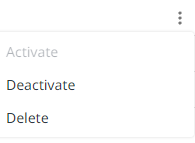
|
Export log
In this menu, you can export Dr.Dart-Platform, Controller, OTA, and OS logs.
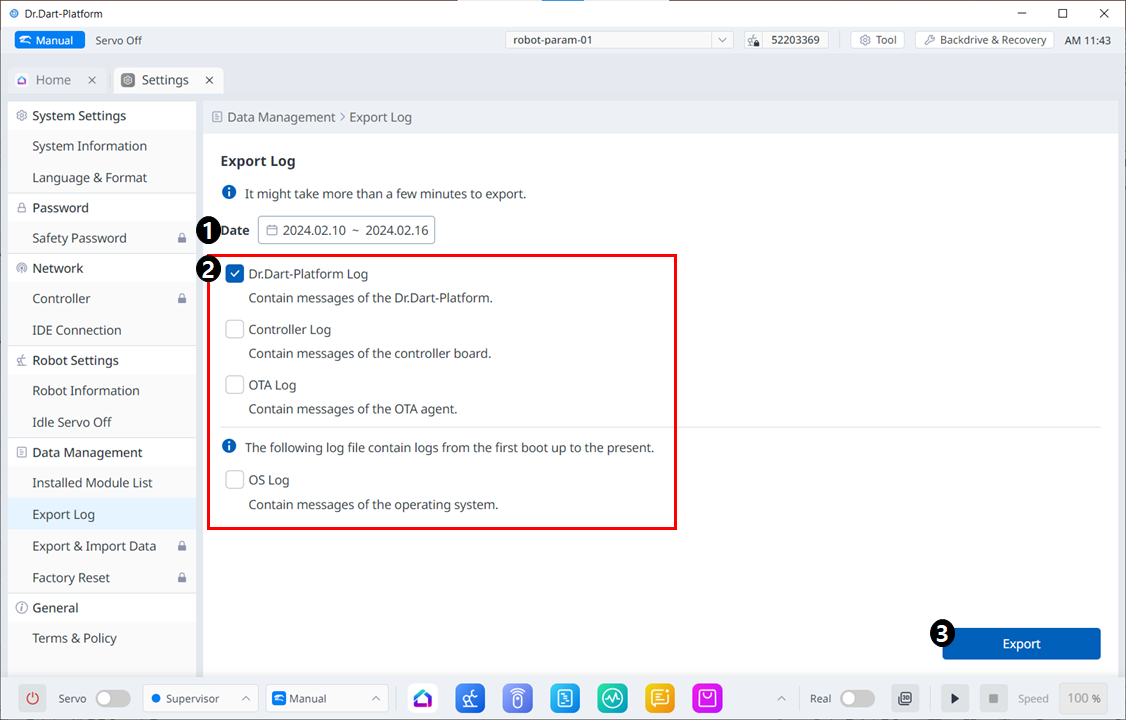
Menu
Items | Description | |
|---|---|---|
| 1 | Select log period | You can select the period of logs to be exported. |
| 2 | Select log type | Check the objects you want to export. |
| 3 | Export log button | Activated when there is more than one selected log. |
Export & Import Data
This menu allows you to export and import data from your Dart-platform.
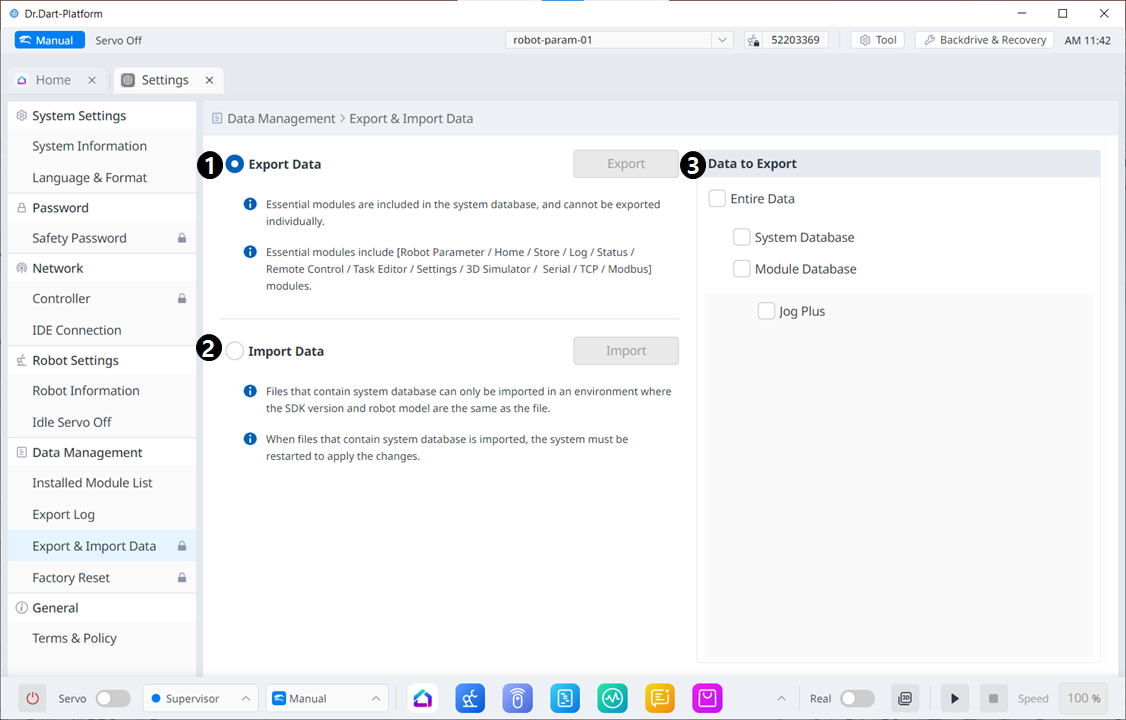
Menu
Items | Description | |
|---|---|---|
| 1 | Export Data | After selecting the corresponding radio button, the export button will be activated when you select the data to export on the right. |
| 2 | Import Data | When you select the corresponding radio button, the Import button becomes activated. |
| 3 | Data to Export | You can select the data to export. |
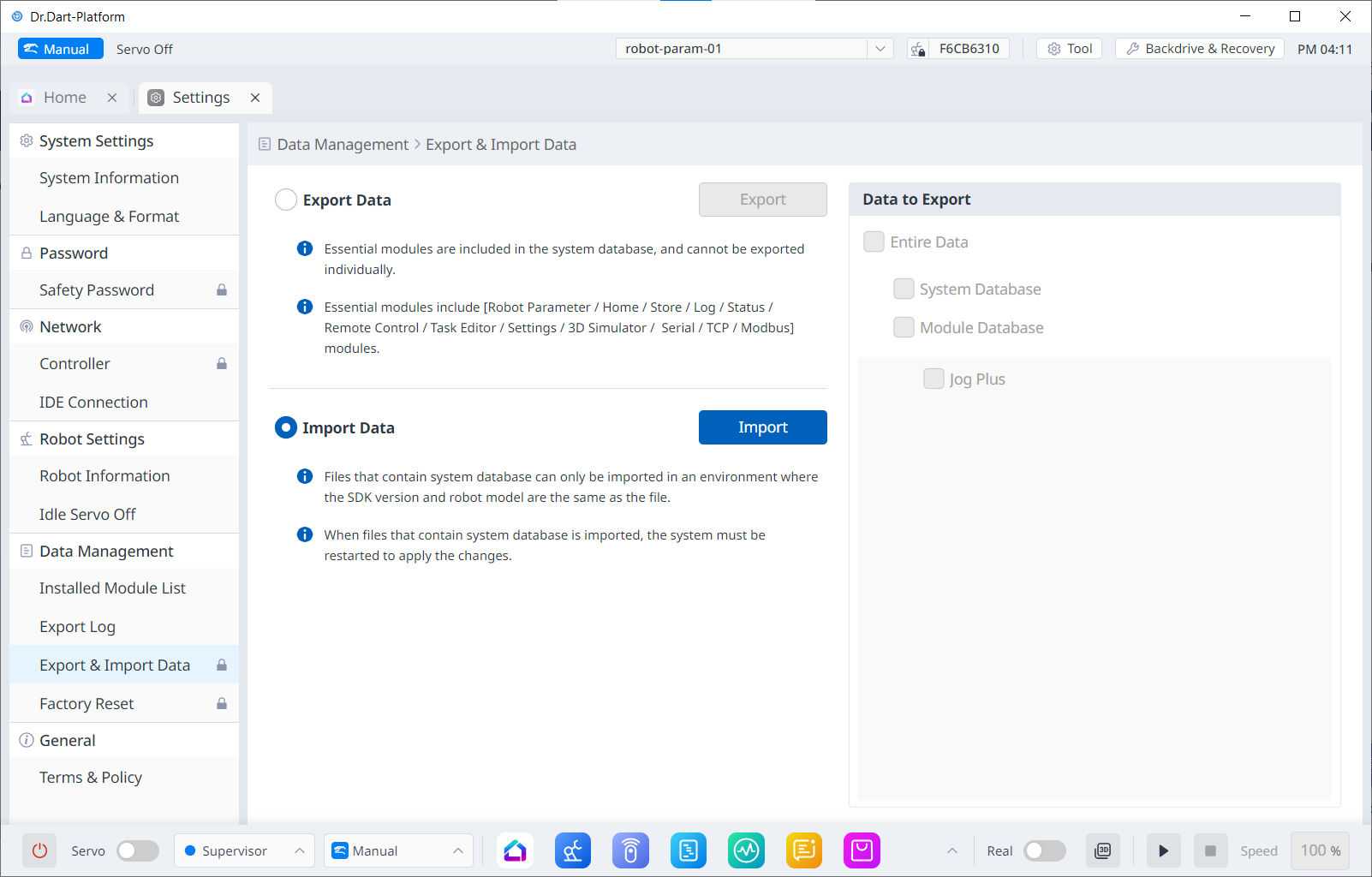
When the Import radio button is selected, the data selection screen on the right is disabled.
Factory Reset
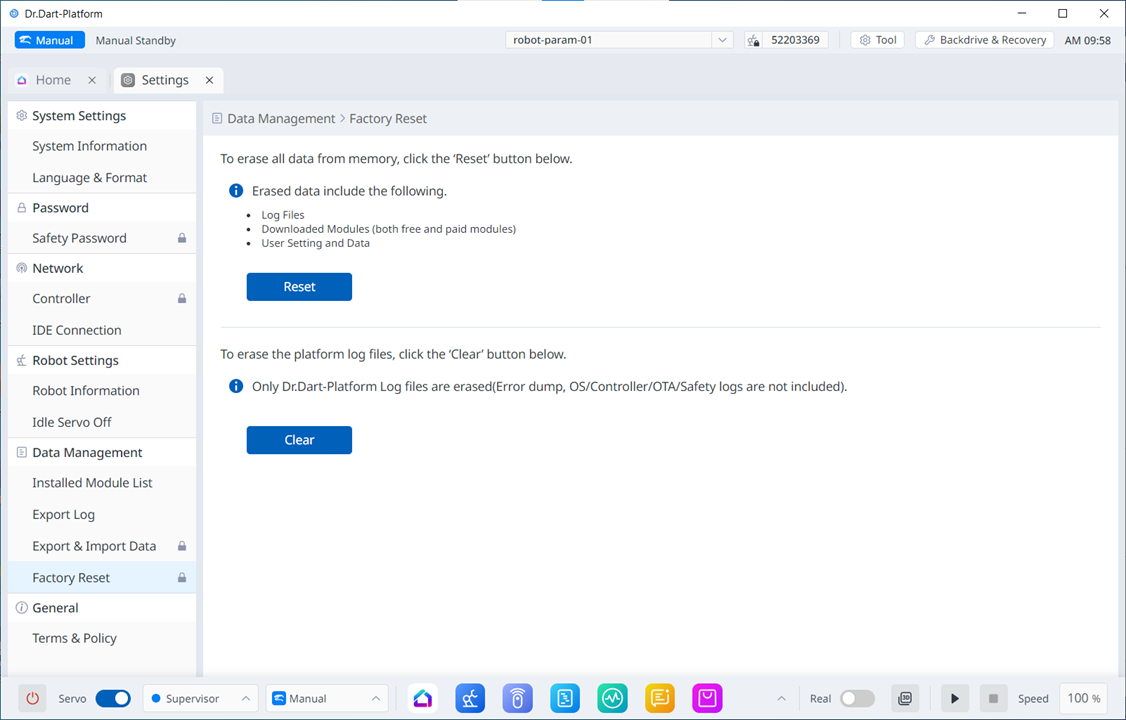
The Factory Reset function can be used to delete all user data and logs saved on the robot. Once the factory reset is in progress, the database, log files, Workcell Items and task files are deleted.
Tap the Settings Module button on the main menu and select Factory Reset.
To delete all data, tap the Reset button. To selectively delete log files, tap the Clear button.
Once the factory reset is complete, a restart of the system is required.